Guides · Benchmark workforce roles
Benchmark workforce roles
How do I price several roles at once?
- Set your organization once. Choose Nonprofit or Private Sector, then sector, state, optional metro and revenue. These apply to every role in the run. If you know your headcount, enter it; it replaces revenue for the size adjustment.
- Add roles. Search for each role and pick a career level. You can add up to 50 roles per run.
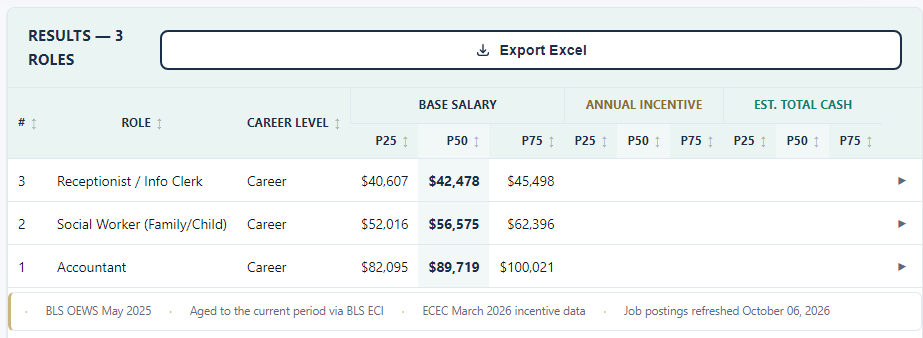
- Click Run. Results show P25, P50 and P75 base salary for each role. Private Sector results also show annual incentive and total cash.
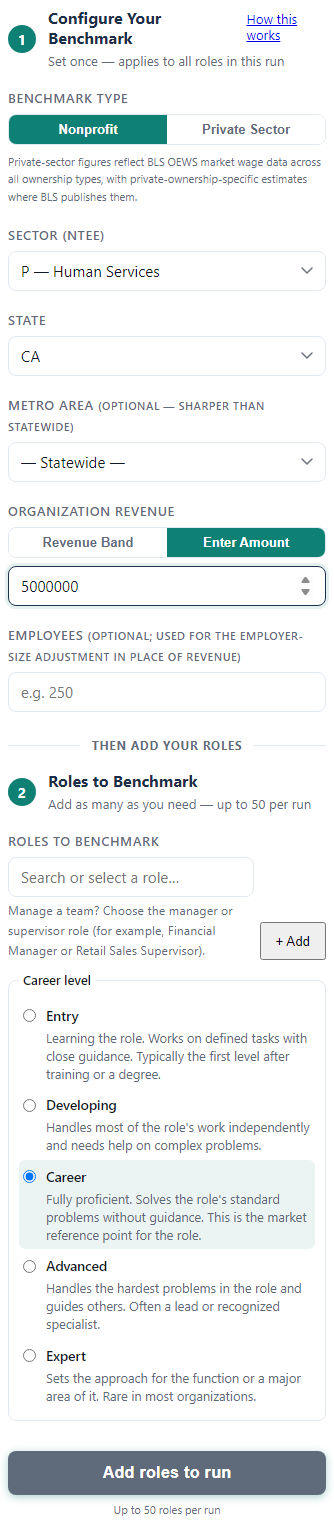
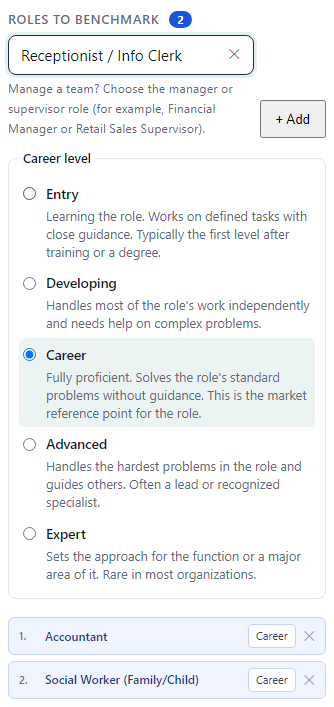
Choosing a career level.
- Entry: learning the role, working with close guidance.
- Developing: handles most of the work alone.
- Career: fully proficient; this is the market reference point.
- Advanced: handles the hardest problems and guides others.
- Expert: sets the approach for a function; rare in most organizations.
When in doubt, start at Career.
Still stuck? Email support@causecomp.org