Guides · Prepare a board report
Prepare a board report
How do I produce the PDF, and what goes in the minutes?
The board report is a PDF your committee can put in its packet. It includes the percentile range, the pay components, up to 20 named comparable organizations and the methodology.
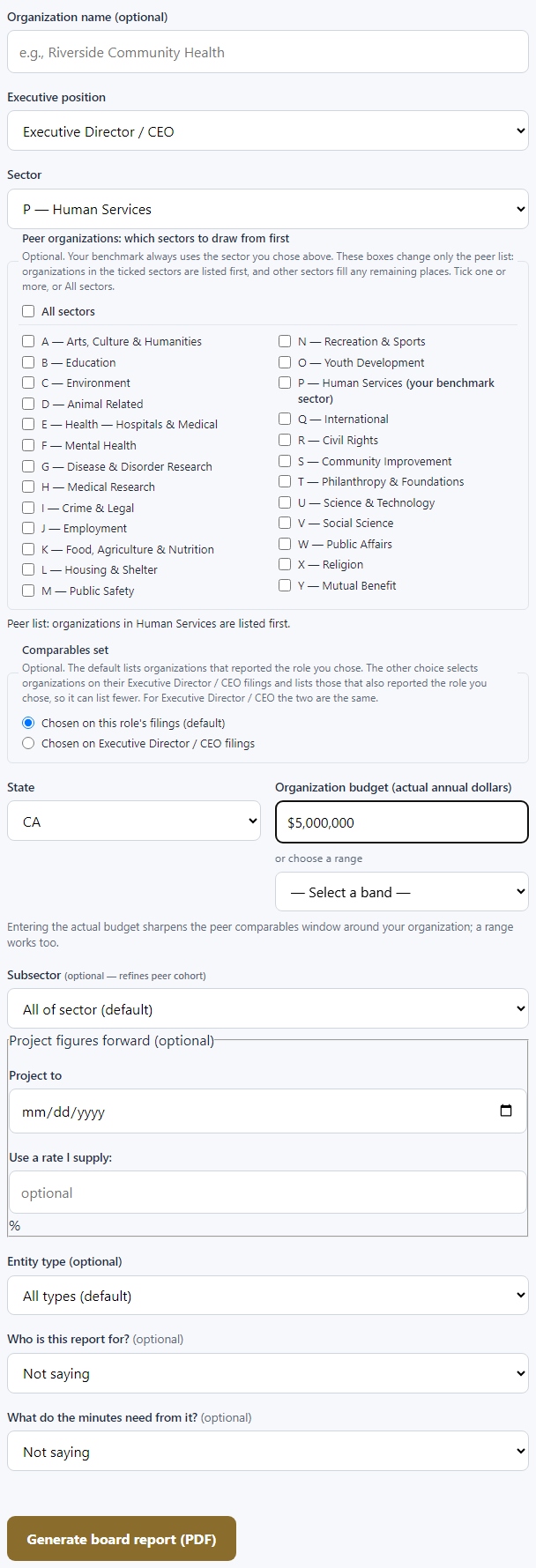
- From your account or the Executive screen, choose Generate your board-ready report.
- If you came from a benchmark, your inputs carry over. Check them and add anything missing.
- Optionally tell us who the report is for and what the minutes need.
- Choose Generate board report (PDF). The PDF downloads right away. A report requested through the connector or API comes as a link that works for 24 hours, and only for the account that requested it.

Want specific organizations in the peer list? Named peer lists are available today through the connector or API. Ask Claude or ChatGPT for "a board report comparing us with" the organizations you name.
If the report is refused. When fewer than three comparable organizations meet the criteria, CauseComp offers a benchmark-only report instead.
Still stuck? Email support@causecomp.org